
UI & Game HUD
Youtube
Instagram
Facebook
Linkedin
Twitter
User Interface
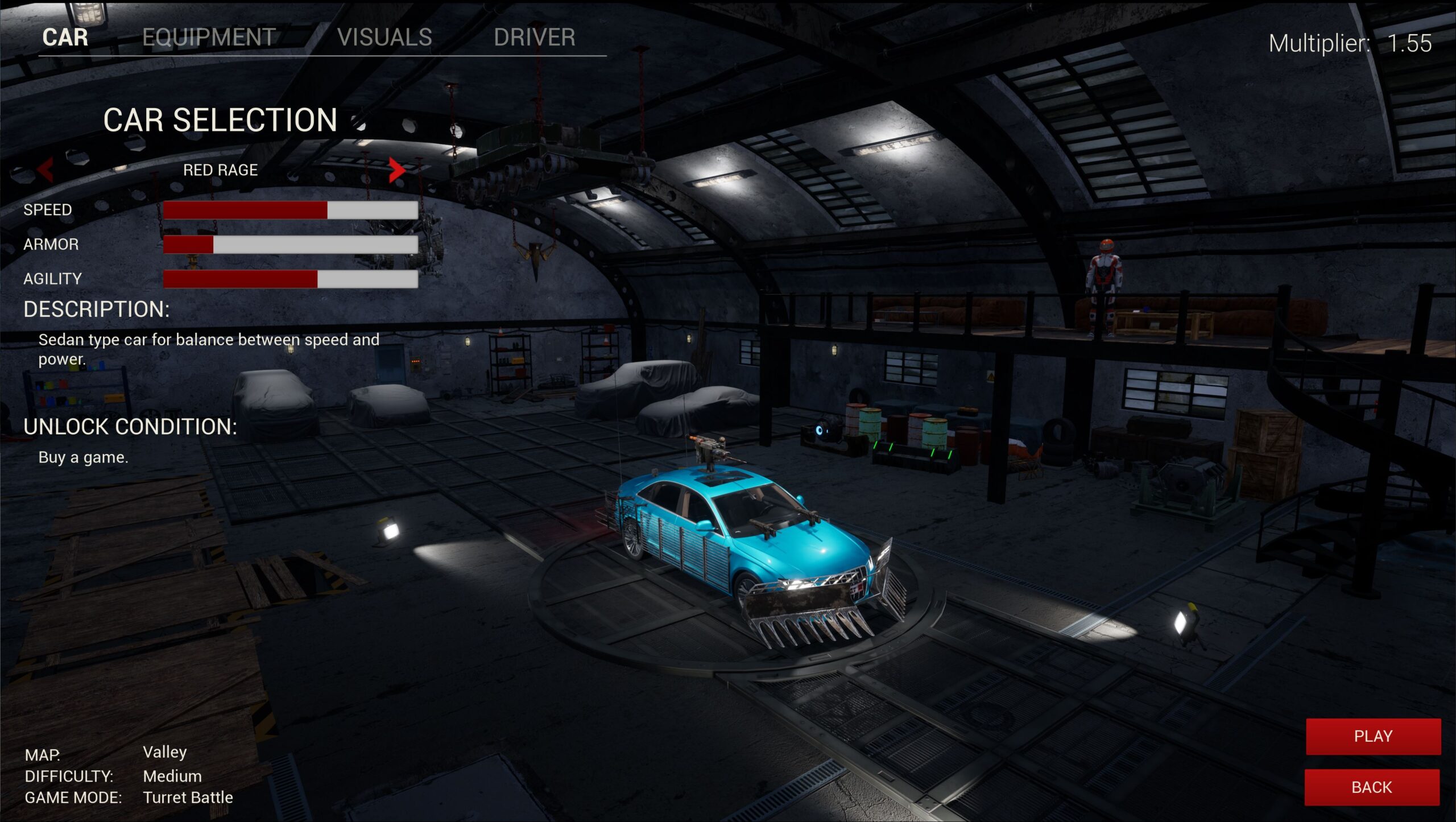
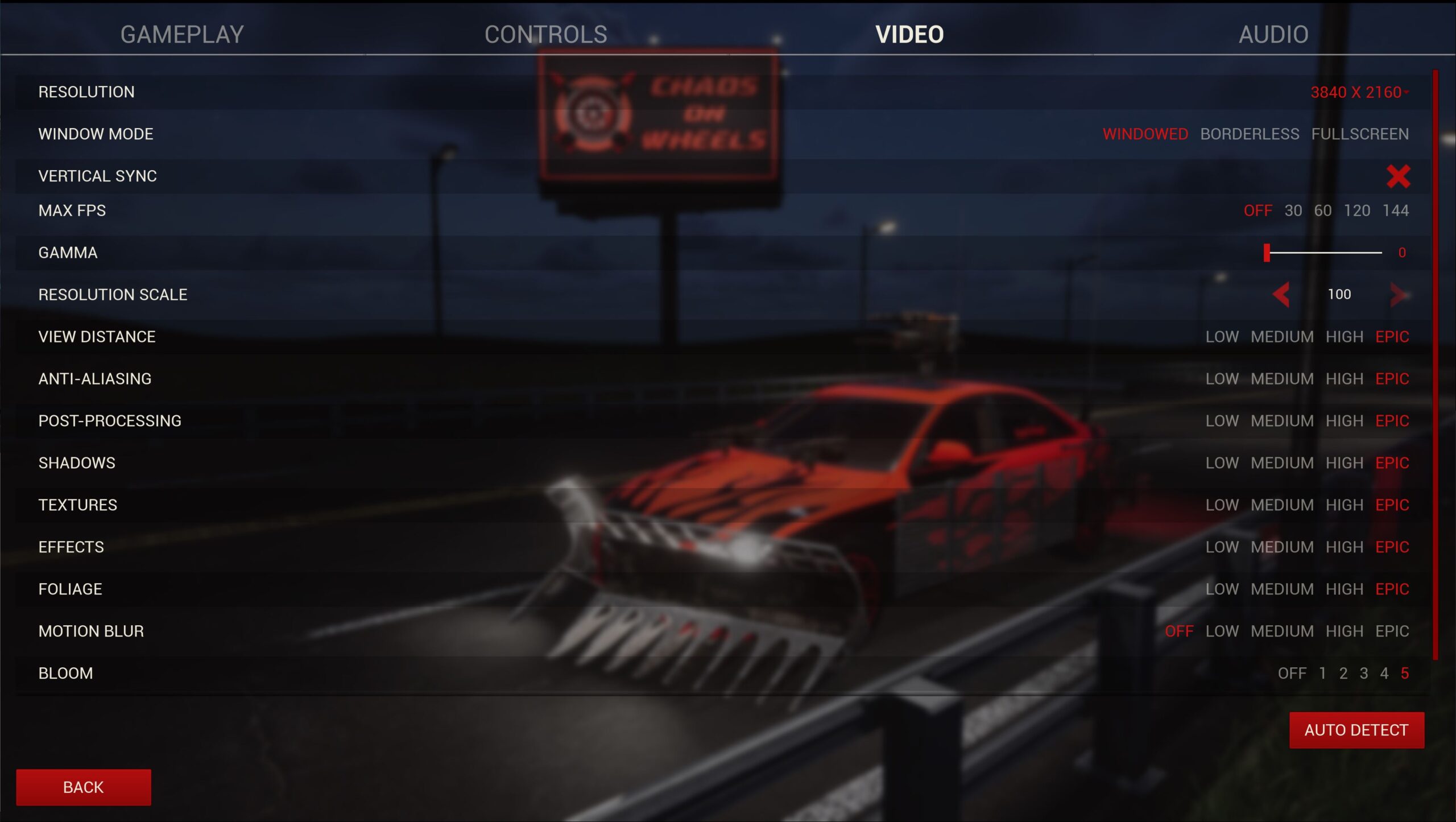
Hello folks! The New Year and the new User Interface. After long research and very much time spent thinking about what user interface would fit our chaotic project, we decided to go in a fully peaceful and simplistic style. It might look bold move, completely opposite, but we believe it’s a good fit. Simple, clean, basic user interface that gives our project class and definition.
With simple style comes a simple color palette, right? We used the most basic colors and mix them up in a simple way.
But why write about something, that should be obviously displayed? Check out the new UI in Main Menu, Garage and settings down below 🖼🖼🖼

Previous
Next
Game HUD
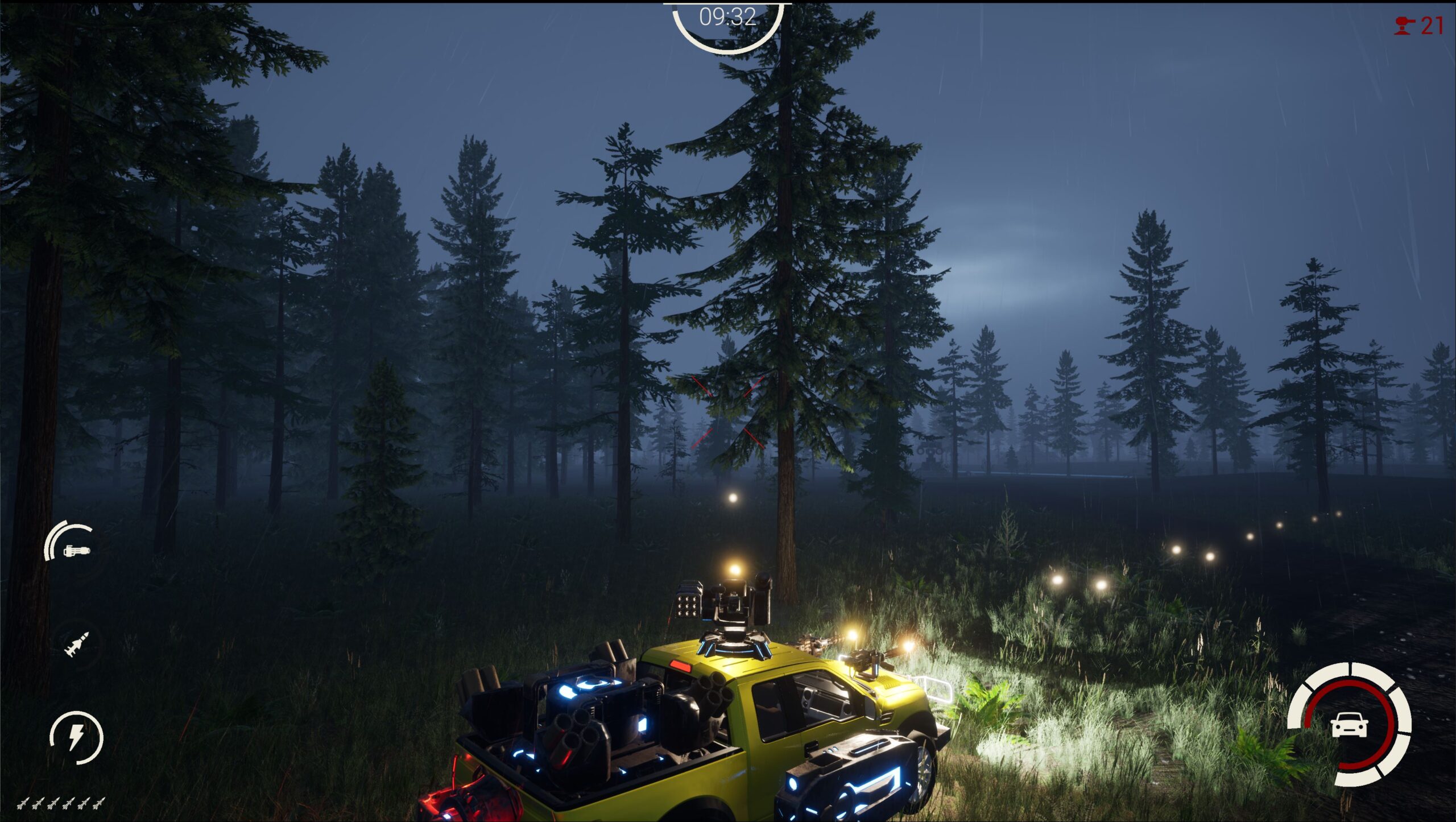
We have a new game HUD as well! As we’re officially in 2022, we know that we couldn’t have only one version of the game HUD, so we make light and dark versions. Setting which one you prefer will be available in settings menu.
We might not have a lot of information to display, but there are still some. On the right, we choose to display the car’s health in the inner circle and armor in the outer circle divided into 6 pieces.
On the left side we have on the bottom, a number of homing missiles. On top of it, there is a driver ability bar, and rocket launcher status. Last but not least it’s front guns heat and main gun heat bars.
In the top left corner, if you’ve equipped radar, you have… you’ve guessed it… a radar! That’s right haha
Depending on the game mode, HUD can include a game timer, turret counter, and similar features.
Light game HUD

Dark game HUD
That’s it for this week! Stay awesome, like our stuff, and don’t forget; leave nothing but chaos! 
Wishlist Chaos on Wheels on Steam 